
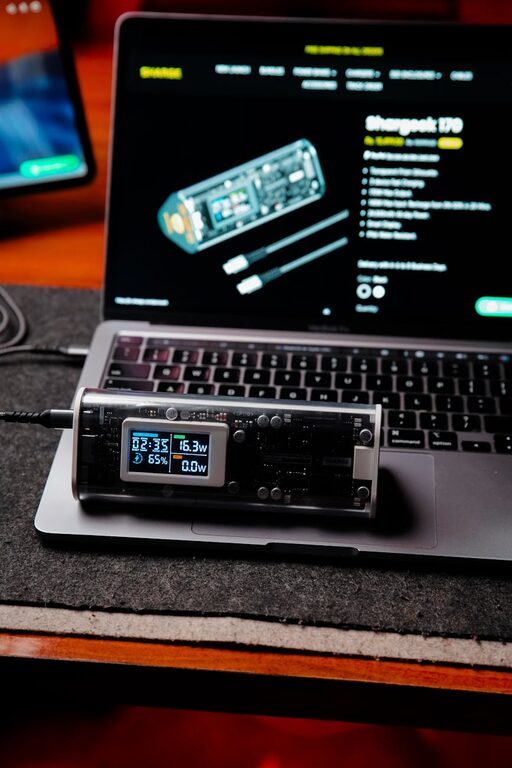
Creating a dedicated charging station for your devices is a simple way to keep your home or office organized while ensuring your gadgets are always ready to use. Whether you have smartphones, tablets, wireless earbuds, or other rechargeable electronics, a well-planned charging station can reduce clutter and manage cables effectively. In this guide, you’ll learn how to set up a practical and convenient charging station step-by-step.
Why Set Up a Charging Station?
With an increasing number of devices needing regular charging, cords and chargers often become tangled or lost. A charging station helps by:
– Centralizing your devices in one location
– Preventing cable clutter and damage
– Improving charging efficiency
– Making it easy to grab your fully charged device on the go
Now, let’s get started on assembling your own charging station.
Step 1: Choose the Right Location
The first step is to pick a convenient spot that meets your needs.
Consider These Factors:
– Accessibility: Choose a location everyone in the household or office can easily reach, such as a kitchen counter, desk, or nightstand.
– Power Source: Make sure the area has access to enough power outlets or power strips.
– Space: Ensure there’s enough room to hold all your devices and chargers without crowding.
– Ventilation: Some devices can get warm when charging, so pick a well-ventilated spot.
Step 2: Gather Necessary Supplies
Before assembling your station, collect the materials you’ll need:
– Charging dock or station: You can purchase a multi-device charging station or use a simple tray or box.
– Power strip or extension cord: Preferably one with surge protection.
– Charging cables: USB-C, Lightning, micro-USB, etc., depending on your devices.
– Cable organizers: Clips, sleeves, or ties help keep cords tidy.
– Labeling stickers (optional): To identify cables and prevent confusion.
– Velcro straps or twist ties: For bundling excess cable length.
Step 3: Organize Your Charging Cables
Messy cables are frustrating, so start by sorting and organizing them.
Tips for Cable Management:
- **Sort cables by type:** Group USB-C, Lightning, or other cables separately.
- **Shorten long cables:** Use Velcro straps or twist ties to bundle up extras.
- **Label cables:** This is especially helpful in households with many similar devices.
- **Use cable clips or holders:** Attach them near your charging area to keep cords from sliding off or entangling.
Step 4: Choose and Prepare the Charging Base
You have a few options for the base of your station:
– Multi-device charging station: Compact units that have built-in docks and charging ports.
– Storage box or tray: An inexpensive DIY option to hold devices and chargers.
– Wooden or plastic organizer: Can be purchased or created to hold devices vertically.
If using a box or tray, drill holes or cut slots to thread cables through neatly. Line the base with non-slip material to keep devices secure.
Step 5: Set Up Power Supply
Plug your power strip or extension cord into the chosen outlet.
– Place the power strip near the charging station but out of plain sight if possible.
– Connect all your chargers to the power strip.
– Avoid overloading the strip—check the amp ratings of chargers.
Step 6: Arrange Devices and Chargers
Place your chargers in the station so cables reach devices easily without stretching.
– Position devices where they are stable and visible while charging.
– Use stands or holders for phones and tablets to keep them upright.
– Make sure cables remain untangled and each device has its own dedicated charging spot.
Step 7: Maintain Your Charging Station
To keep the station efficient:
– Regularly check cables for wear and replace when needed.
– Clean dust and debris weekly.
– Rearrange devices if your gadget collection changes.
– Charge devices fully but avoid overcharging by unplugging when completed.
Bonus Tips for a Smarter Charging Station
– Use fast chargers: Compatible chargers can reduce charging time.
– Wireless charging pads: Great for devices that support Qi charging, minimizing cable clutter.
– USB hubs with multiple ports: Helpful if your power strip has limited outlets.
– Add decorative elements: Use a stylish box or mat to match your room décor.
Conclusion
Setting up a charging station is a practical way to organize your tech life and keep devices ready for daily use. With the right location, tools, and cable management, you can create a neat, efficient space that reduces stress and increases convenience. Try the steps above to build your own charging station today!
